

Location
Learn the specifics of how to send location messages on WhatsApp.
Send a static location in the form of a message.
Included in location messages are your:
- Longitude – Coordinates between -180 and 180
- Latitude – Coordinates between -90 and 90
- Location Name – Name of the location (optional)
- Address – Address of the location (optional)
ℹ️ Do you want to send a location as a media message template? Check how to integrate location in your media message template here.
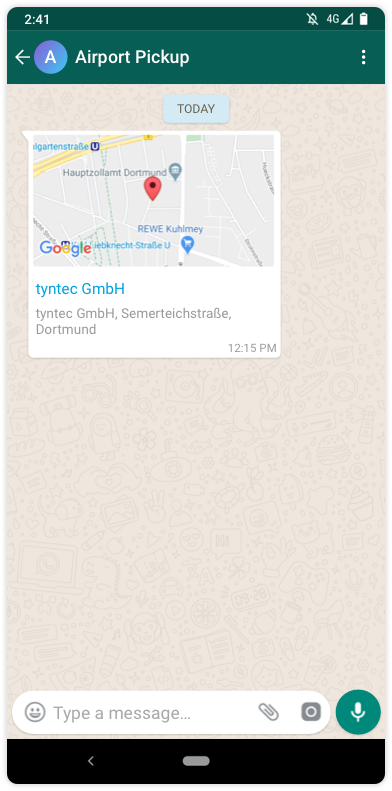
How to send a location
<div class="geshifilter"><pre class="php geshifilter-php">curl –XPOST https<span class="sy0">:</span><span class="co1">//api.tyntec.com/conversations/v3/messages\</span>
  <span class="sy0">-</span>H <span class="st_h">'Content-Type: application/json'</span> \
  <span class="sy0">-</span>H <span class="st_h">'apikey: <API KEY>'</span> \
  <span class="sy0">-</span>d <span class="st_h">'{
{
    "from" : "{{whatsAppBusinessNumber}}",
    "to" : "{{receiverPhoneNumber}}",
    "channel" : "whatsapp",
    "content" : {
        "location" : {
            "longitude" : 7.4954884,
            "latitude" : 51.5005765,
            "name" : "tyntec GmbH",
            "address" : "tyntec GmbH, Semerteichstraße, Dortmund"
        },
        "contentType":"location"
    }
}</span></pre></div>